Tuesday, November 11, 2014
How to Install a Wireless Network
As more and more people move on from Dial up to broadband and connection to the information super highway there are new things like routers, modems that need to be setup in order to get online and start browsing. This guide is very basic and not too technical and hopefully it is helpful to those with little to no background in setting up wireless networks.
Cable companies tend to not give cable modems with wireless built in. Therefore you have to go find a good wireless router that works well. But which one?
I personally use the Linksys 2.4 Ghz wireless G router. This router gets approximately 54 Mbits/Second. This varies depending on the type of router you get. B is one of the first wireless types to come out. They get approximately 11 MBits/second, Wireless G gets approximately 54 Mbits/second and Wireless N gets approximately 74 MBits/second. The range of your wireless network also depends on the type of router you decide to get. I would recommend getting a Wireless G for an apartment and a wireless N for a huge mansion.
After you bring your router home, installation is pretty straight forward for the most part, follow the steps below for easy installation:
- Plug your wireless router as close as possible to your DSL or Cable modem.
- Your Wireless modem should be accompanied with a RJ45 cable, plug in one of the cable to a port in back of DSL modem and port most likely labeled "Internet" or "Uplink" of your Wireless router.
- Now both are connected, however setup is not complete. You will need another RJ45 cable connect it from any open port from back of your wireless router to the your laptop or desktop. The port should light up in front of your wireless router to indicate that a device is connected directly to your router.
- Depending on the device you get, you will need to go to one of the following IP addresses in order to setup security and configure your wireless network so that it is not used for free by your neighbors. Http://192.168.0.1 or http://192.168.1.1 Here you will be required to first setup a user name and password to enter the settings. Please note it down so you do not forget in case you need ever need to come back. We are not done just yet, this does not secure your wireless network from your free loading neighbors.
- Go to the wireless tab and setup your SSID it will need to be set to broadcast so when you have multiple devices that need to connect. Name it something simple and easy for you remember.
- Enter encryption code, this is very important, this will be the password you will need to know whenever you decide to connect a new device to your wireless network. Only devices that have the WEP key entered correctly will be able to connect to your network and use it to connect to the Internet. I would recommend using WPA Personal as your WEP Security Mode.
- Once you have your wireless device connected to your network you should be able to connect using wireless and will not be need to be stationary or confined to just one room of your apartment or home. If you have any questions about this hub feel free to contact me. I hope this hub was helpful to you.

Saturday, November 8, 2014
LG G Vista announced for Verizon Wireless
.jpg)
At last we have the phone, G Vista from the South Korean multinational electronics manufacturer, LG, officially announced for the Stateside network and telecommunications provider, Verizon Wireless. The new smartphone from the United States based carrier had already showed in a number of leaks and other reports, where yesterday we head it from the people at DROID LIFE, that the phone will be making its official debut today, and following that, we now have things down from the phone maker and network operator.
The new smartphone is almost identical the companys flagship smartphone, LG G3, with its whole body construction, design and other hardware facts. The phone is said to have great multimedia experience, where "The LG G Vista combines a spacious display with the power of an all-day battery, quad-core processor and Verizon 4G LTE to enhance your mobile life." Like the LG made front runner smartphone G3, the new G Vista will too have its placement of physical button on the back including, volume up and down rockers and power switch sitting under the primary lens behind.
Newly announced LG G Vista will sport a Quad-Core Qualcomm Snapdragon 400 processor, with clock speed of 1.2GHz, 5.7-inches High Definition screen of 1280 x 720 resolution display, at 258 pixels-per-inch, in protection of Corning Gorilla Glass 3, eight gigabytes of on board storage (expandable via microSD card slot), 1.5 gigabytes of Random Access Memory (RAM), eight megapixels main camera on the back with LED flash light and laser-auto focus sensor and 1.3 megapixels front facer. For connectivity, the phablet smartphone supports, Bluetooth 4.0, Near Field Communication (NFC), 4G LTE and CDMA networks, a 3,200mAh powered battery and running Android version 4.4.2 KitKat, topped with companys proprietary Simplified User Interface. You can also take advantage of LGs own features like, Dual Window, Mini View, QuickMemo, QSlide 2.0 and Knock Code.
This LG made phone in Black color is already up for sales by the service provider, available starting today online from Verizons official retailing web address. So, interested customers can grab the device for $99.99 on a 24 months contract or for $19.99 per month on Verizons Edge plan. And if you dont wish to sign any contract, bag the device home for a total amount of 399 United States Dollars.
Source: Verizon
Saturday, September 27, 2014
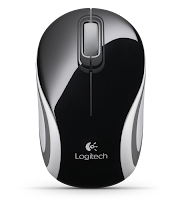
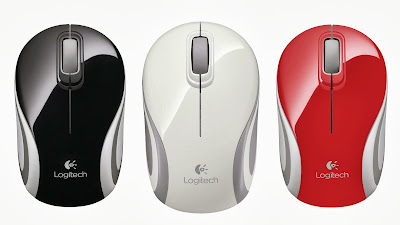
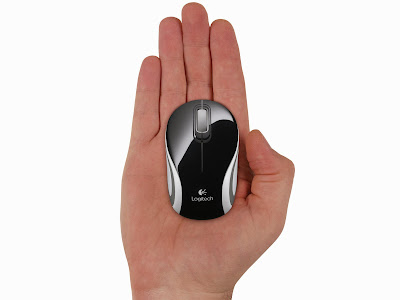
Logitech Wireless Mouse Wireless Mouse Mini M187