Showing posts with label Start. Show all posts
Showing posts with label Start. Show all posts
Friday, October 3, 2014
How to Start a Conference Call on Sony Xperia E

1. If youre on an ongoing call, tap .
.
2. Then dial the number of the second participant and tap .
.
3. When the second participant answers the call, the first call is put on hold.
4. Tap on to start the conference call. Repeat the same steps to add more participants to the conference call.
To have a private conversation with one of the participants
1. Tap the button showing the number of participants during the ongoing conference call.
2. Then tap on the name of the participant you wish to talk privately.
3. To end the conversation and return to the conference call, tap
To release a participant during the ongoing conference call
1. Tap the button showing the number of participants during the ongoing conference call.
2. Then tap next to the participant you want to release from the call.
To end the conference call
1. During the conference call, just tap.
.2. Then dial the number of the second participant and tap
.3. When the second participant answers the call, the first call is put on hold.
4. Tap on
to start the conference call. Repeat the same steps to add more participants to the conference call.To have a private conversation with one of the participants
1. Tap the button showing the number of participants during the ongoing conference call.
2. Then tap on the name of the participant you wish to talk privately.
3. To end the conversation and return to the conference call, tap
To release a participant during the ongoing conference call
1. Tap the button showing the number of participants during the ongoing conference call.
next to the participant you want to release from the call.To end the conference call
1. During the conference call, just tap
.
Wednesday, October 1, 2014
Return to the Start Screen of Windows 8 8 1 to erlier conditions
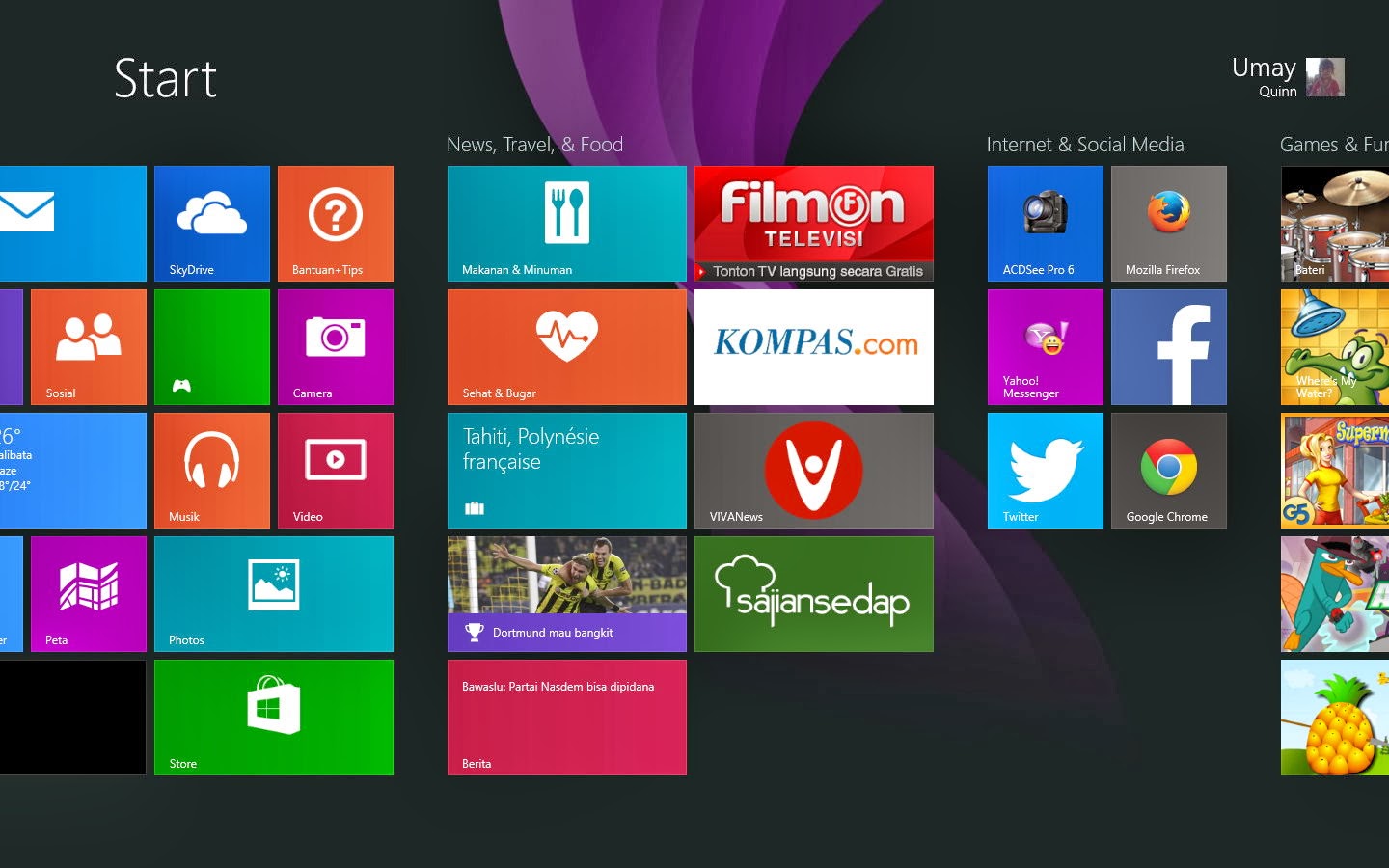
Windows 8/8.1 has the look of the Start Screen that is different from earlier versions of Windows. On the Metro or Modern UI mode, the application that is installed is displayed in the form of Tile. But what if the display is already too much and you want to return it to original condition? For that you can do the following simple steps:
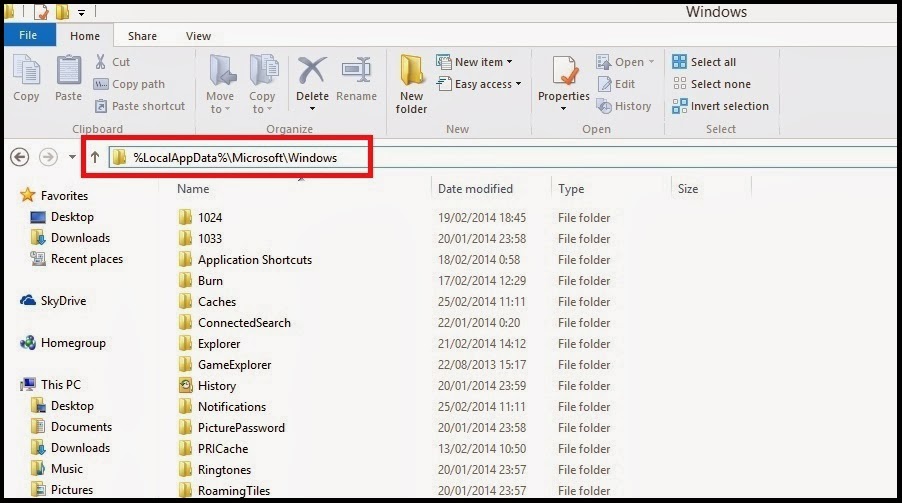
1. go to the look of the Desktop, open the Window Explorer, and type the following commands in the address bar%LocalAppData%MicrosoftWindows.
Or it could be by directly pressing the Windows key + R to go to the Run dialog box, and type%LocalAppData%MicrosoftWindows.
2. in this folder you will find two files, namely appsFolder.-ms itemdata and appsFolder.-p. itemdata bak. If you want to return to the Start Screen display the initial conditions in Windows 8/8.1, you delete the two files reside. Next restart.
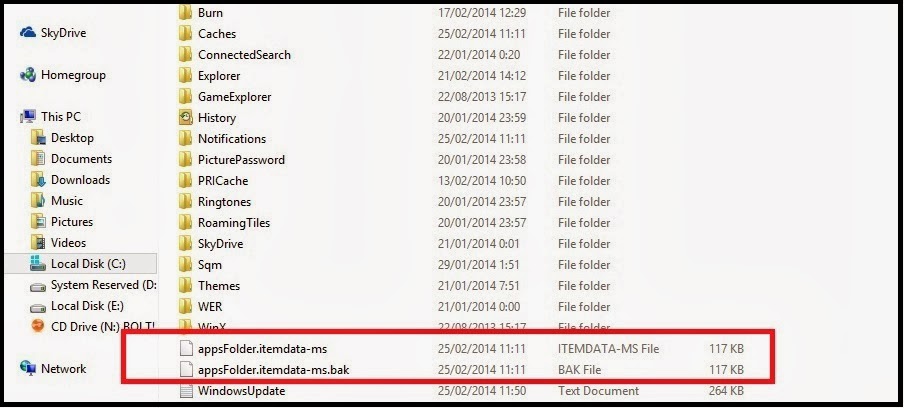
3. you can also save the two files to a different folder if one time it wants to return to the Start Screen display. How to restore it just put the two files into the folder again.
Remove the Tile will not remove (uninstall) the application. Existing applications will not be lost and remain there. If you want to uninstall the application completely, you can do it Uninstall through Control Panel.
Subscribe to:
Posts (Atom)