Showing posts with label PLAY. Show all posts
Showing posts with label PLAY. Show all posts
Saturday, November 22, 2014
How to play YouTube videos directly in VLC Media Player
Well there is no doubt that YouTube is the best place to find any kind of videos you want. Many of us like to download the videos in order to enjoy on mobile device, while others like watching them directly online by going to YouTube website. But have you tried to play YouTube videos in VLC Media Player, the world’s favorite video player that supports nearly every video format? How to do that?![YouTube]()
In fact VLC Player can also play YouTube videos on your desktop without requiring the web browser or the Adobe Flash player and there are lots of benefits to watching YouTube videos in VLC.
The Benefits of Watching YouTube Videos with VLC
Follow the Tutorials to get started:
1. Launched the VLC player, press Ctrl+N to open the Network URL dialog.Or Click the Media menu in VLC, and then choose Open Network Stream.
2. Paste any YouTube video URL in the input box and click Play at the bottom!
Then, that’s all right. Now you can enjoy your favorite videos.Attention: In addition to YouTube, VLC Player can also play DailyMotion videos outside the browser.
Related article:
ReadMore

In fact VLC Player can also play YouTube videos on your desktop without requiring the web browser or the Adobe Flash player and there are lots of benefits to watching YouTube videos in VLC.
The Benefits of Watching YouTube Videos with VLC
- First, You can skip any ads that might play before videos without needing to use a browser extension.
- Second, You can change the playback speed of videos, make it run slower or faster than the normal speed, which can help if youre trying to learn something new, like a dance.
- Third, You can watch the video in a smaller window while still doing other things on your computer. And finally, you can capture snapshots from the video easily through VLCs interface.
Follow the Tutorials to get started:
1. Launched the VLC player, press Ctrl+N to open the Network URL dialog.Or Click the Media menu in VLC, and then choose Open Network Stream.
2. Paste any YouTube video URL in the input box and click Play at the bottom!
Then, that’s all right. Now you can enjoy your favorite videos.Attention: In addition to YouTube, VLC Player can also play DailyMotion videos outside the browser.
Related article:

Wednesday, November 12, 2014
Red LG Google Nexus 5s now live on Google Play
.png)
From the last couple of weeks back we have been consistently reporting you with the rumors and leaks of so called upcoming Red LG Google Nexus 5 flagship. The puzzle was then added with some real life photographs of the packages, which seemed to be pouring in from the companys warehouse, again showing it up in blood-red colors.
Last week, courtesy of the Statesides carrier Sprints internal filing, which led us to the dates for today, 4th of February, 2014, and finally with some official press renders for the icing on the cake made our doubts clear about the unannounced Googles 2013 flagship handset in the new paint job, which was reportedly scheduled for a release to the Google Play Stores and Sprint Stores, around United States.
.png)
Accordingly, the American search giant has done exactly the same, going official by introducing the first Nexus device in Red color, alongside the Black and White options from the Play Store, moments back. The new phone will remain matching from its internal specification side sporting the chassis in bloodshot. The newly painted smartphone will cost you $349 for the 16 gigs model and $399 for the 32 gigabytes variant.
But, its not only United States, the United Kingdom based retailer, Carphone Warehouse has promised us to bring this very new Nexus 5s to the Great Britain country, as early as tomorrow at 6:00 AM in the morning, local. "The Nexus line has always been about doing things differently and consumers who share this philosophy have been our most loyal fans. We’re carrying this thinking over to the red Nexus 5, which we think will catch the eye of consumers who want to make an even bolder statement," said Dr. Jong-seok Park, President and CEO of LG Electronics Mobile Communications Company.
Source: Google Play, LG
Monday, October 13, 2014
How to Activate Camera App and Play Tracks on a Lockscreen on Sony Xperia Z2 Tablet
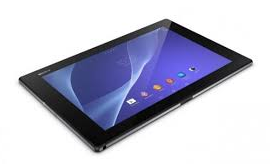 LockLcds dont normally allow users to launch any apps or even take photos. We still need to unlock our Lcds to use certain apps on our handset. But with Sony Xperia Z2 Tablet, you can take photos, record videos and play tracks without unlocking the Lcd. Heres how you can enjoy this feature on your Sony Xperia Z2 Tablet.
To take a photo on a lockLcd
1. Activate first your Lcd by briefly pressing the power key

2. Now activ the camera app
 by dragging the camera icon to the left across the Lcd.
3. And tap
 to take photos or record videos without unlocking your Lcd.
To play an audio on a lockLcd
1. Activate first your Lcd by briefly pressing the power key
.2. Now to display the music player controls, drag
 to the right across the Lcd.
3. And tap
 to play a track on a lockLcd.
To pause an audio track from the lockLcd
1. Activate first your Lcd by briefly pressing the power key
.2. When the music player controls appear, tap
 to pause the track.
To change the currently playing audio track on a lockLcd
1. Activate first your Lcd by briefly pressing the power key
.2. Then tap
 or
or when the music player controls appear.
Saturday, September 20, 2014
XOLO PLAY T1000 with 4 7″ HD Screen 1 5GHz Quad Core Processor 1GB RAM
XOLO PLAY is the new smartphone which comes with the 4.7 inches of Screen Size. This smartphone comes powered with the Nvidia Tegra 3 Processor along with the decent enough specs and features. While the likes of LAVA and Micromax are currently speeding the product launches, it now seems like XOLO too wants to join the party by coming out products which are not just buffed with the specs but also the pricing is taken care of. Let’s head over to the detailed list of specs and features of this XOLO PLAY Android smartphone.

Specs & Features of XOLO PLAY:
XOLO Play comes with the 4.7 inches of HD Screen which comes with the resolution of 1280 x 720 p display along with the IPS Display and 312PPI. With Jellybean 4.1.1 Android OS, this device is powered with the 1.5GHz of quad-core Nvidia Tegra 3 processor with 416 MHz 12 Core NVIDIA ULP GeForce GPU. In terms of camera, this device comes with the 8MP of rear facing camera with BSI Sensor and LED Flash along with the 1080p Recording capability and not to forget it also comes with the 2MP of front facing camera.
In terms of memory, this does come with the essential as it has a 1GB of RAM, 4GB of internal memory along with the 32GB of expandable memory card slot and 2000mAh of Battery. With 10.4mm thickness it also houses the 3G, Wi Fi 802.11 b/g/n, Bluetooth 3.0 and GPS Capabilities. We have also summed up the detailed list of specs below.
4.7 inches of HD Display with Capacitive Touch,
10.4mm thickness & 167gms weight,
1280 x 720 pixels Resolution,
1.5GHz Quad Core Nvidia Tegra 3 Processor,
1GB RAM,
4GB Internal Memory,
Up to 32GB expandable memory card slot,
312PPI Display,
8 Megapixel camera with BSI sensor, LED Flash and 1080p Video Recording Capability,
2MP Front Facing Camera,
Jellybean 4.1.1 Android OS,
3G, Wi Fi 802.11 b/g/n, Bluetooth 3.0, A-GPS,
2000mAH Battery
10.4mm thickness & 167gms weight,
1280 x 720 pixels Resolution,
1.5GHz Quad Core Nvidia Tegra 3 Processor,
1GB RAM,
4GB Internal Memory,
Up to 32GB expandable memory card slot,
312PPI Display,
8 Megapixel camera with BSI sensor, LED Flash and 1080p Video Recording Capability,
2MP Front Facing Camera,
Jellybean 4.1.1 Android OS,
3G, Wi Fi 802.11 b/g/n, Bluetooth 3.0, A-GPS,
2000mAH Battery
XOLO PLAY Smartphone has been launched by the company and is available at a price tag of Rs. 15,999.
Subscribe to:
Posts (Atom)